Pavilio: My Mission Control for Parallel AI Coding Agents
Published on 09.05.2026
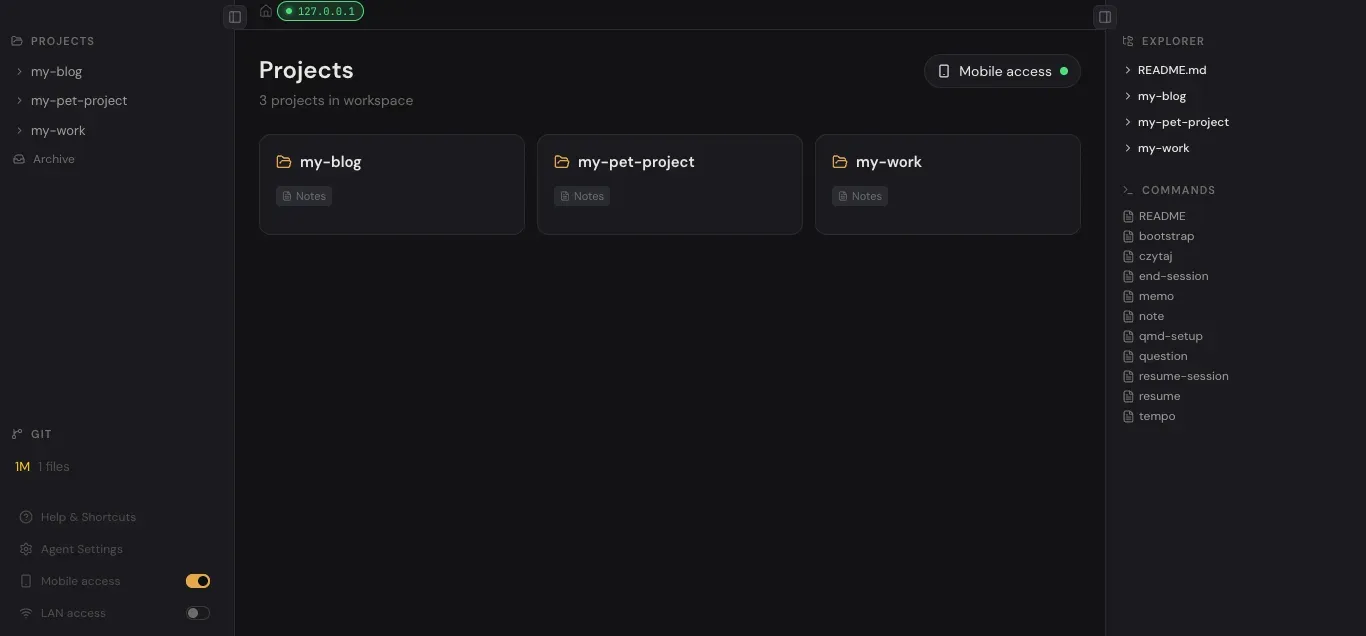
VS Code still has its place in my workflow, but it stopped being the central tool. Day to day, I work with Claude Code and OpenCode CLI, which means I spend most of my time in the terminal. It's often faster and more comfortable for me to review generated changes directly in Neovim, without ever leaving the console.
Like a lot of folks in this space, I've built up my own workflow, and I've published it as open source. I extend it gradually, one brick at a time, in the gaps between tasks, and lately even on weekends, because it has turned into a deeply addictive pet project. The moment I had the idea to build an admin panel for browsing the markdown files my agents generate, work on Pavilio, the name I gave the project, really started to pick up steam.
The problem: too many agents to track
Once you reach the point where you have four or more terminal sessions open, each pushing an agent toward its next task, it gets easy to lose track of where things actually stand, and which agent is waiting on a decision from you. Switching between tabs starts to feel cognitively expensive. That's exactly the problem I wanted Pavilio to solve.
So I moved my terminals into the browser, and using one neat trick I can now see at a glance which agent in which terminal needs my attention. Tools like Claude Code and OpenCode show some kind of spinner while the agent is working; the same is true for tasks like a build, the terminal output keeps changing while it runs. That makes it easy to detect activity and track each terminal's state.
I settled on three states:
- Busy - a red pulsinglight, signaling that the terminal is doing something (usually agent work).
- Done - green, meaning the red light was on for a while and has since stopped, but I haven't focused that terminal yet. My attention is now required, either to answer the agent's question or to review the output.
- Idle - nothing is happening and the terminal has already been viewed.
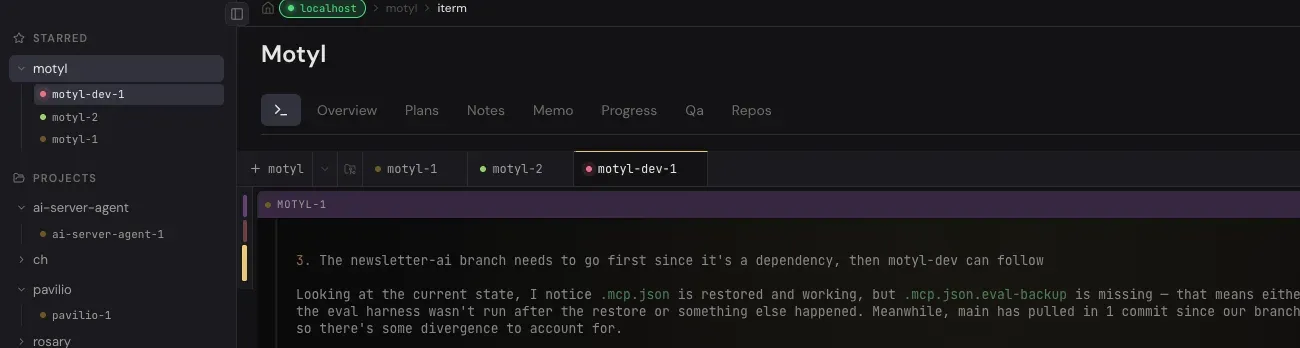
This system, simple as it is, turned out to be remarkably effective and dramatically improved my control over the workflow. On top of that, I can launch terminals grouped by project, and I added an aggregated status at the project level: the project's light is red if at least one agent is busy, and turns green if no agent is currently working but at least one is waiting for me. With one glance I can see the state of every running agent and tell which one needs me.
Project organization
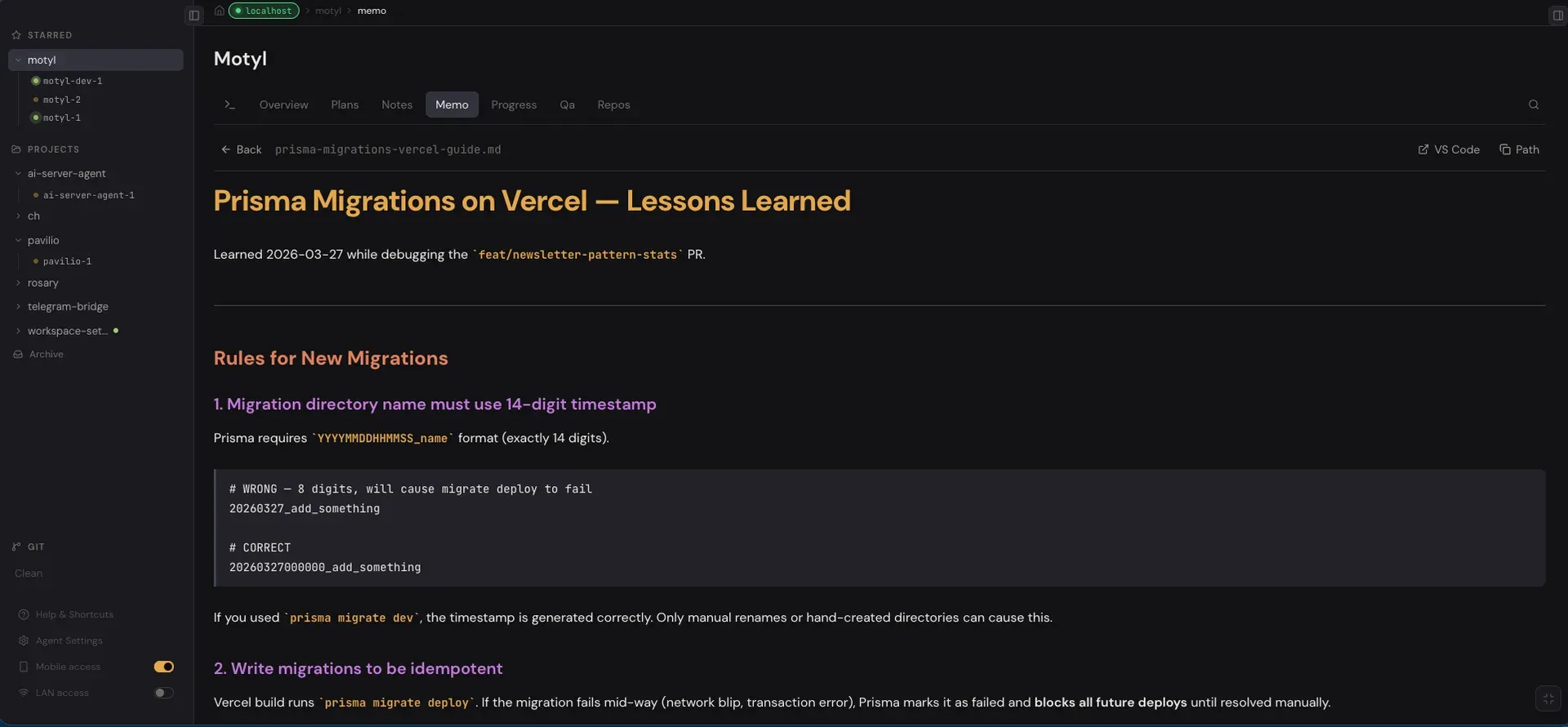
Folders with progress notes, written by the agents and by me from meetings, are grouped per project, because alongside my work projects I also have personal ones like motyl.dev and Pavilio itself. A project can be tied to one or more repositories; they're simply listed in project.md, and the panel can spawn a terminal directly inside a repo's directory. The workflow itself centers on starting Claude Code or OpenCode in the shared project folder and beginning each session with /resume-session, e.g.:
/resume-session pavilio
At the end of a session, when I know I'm stepping away from the computer for a while, I run an end-session command, which writes the current context to a .md file. That makes resuming smooth on the next run and keeps a history of completed work. That history has been useful, on work projects you sometimes have to report progress, and I can also derive my own statistics from it later.
A living system, tweaked daily
Odds are, by the time you're reading this, parts of the system have already changed, because I tweak it constantly while I'm using it. The moment something feels uncomfortable or I get an idea for an improvement, I just put it in.
For example, OpenCode doesn't have a built-in "read aloud" feature, which I rely on heavily in Microsoft Edge (you can't easily select text inside the terminal). So I added a "View" feature on Ctrl+U (Cmd+U on macOS) that opens a modal with a copy of the terminal text rendered as plain HTML in the browser, where the page can read it the normal way, including text-to-speech.
Working this way is much more efficient for me. With SuperWhisper I can dictate prompts, which is far faster than typing. And when the agent replies with longer chunks of text I want to actually read, I can have it read back to me in a natural TTS voice with the feature above.
By design, I don't work with agents in pure "vibe coding" mode, it's more of an engineering process. I start with a brainstorming session and pick the best solution to the problem at hand, using the LLM as a discussion partner. Two skills I lean on heavily here are /brainstorm from Superpowers and Matt Pocock's grill-with-docs.
Code review without leaving the panel
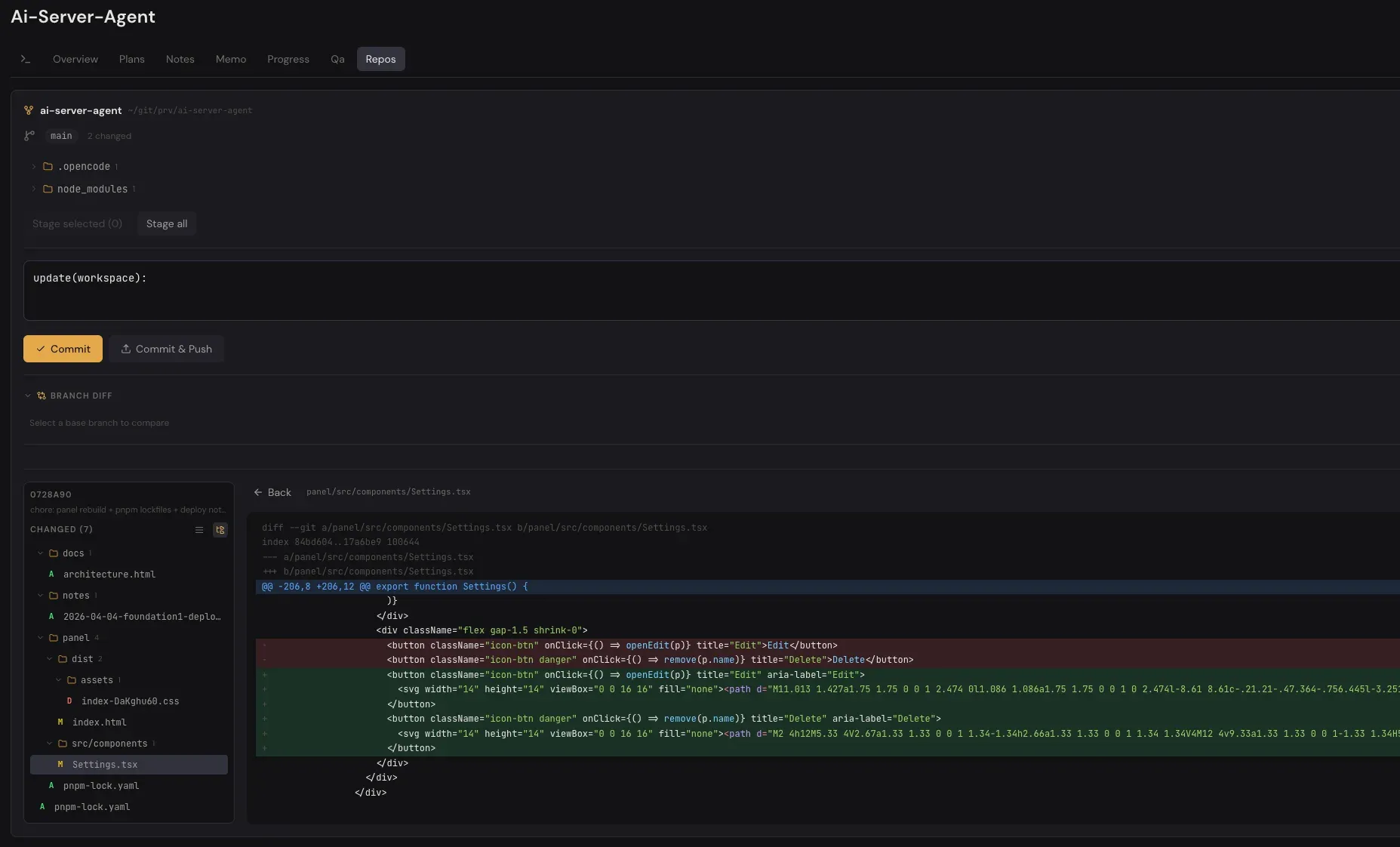
In any agent-driven coding session, you eventually hit the moment when the result needs your code review. Pavilio handles this on its Repos tab. I can see all branches and uncommitted changes, and I can view a diff for every changed file the same way you'd see it on GitLab or GitHub. I recently added support for git worktrees, because I sometimes run agents in parallel against different worktrees and want a clean view of the changes per tree.
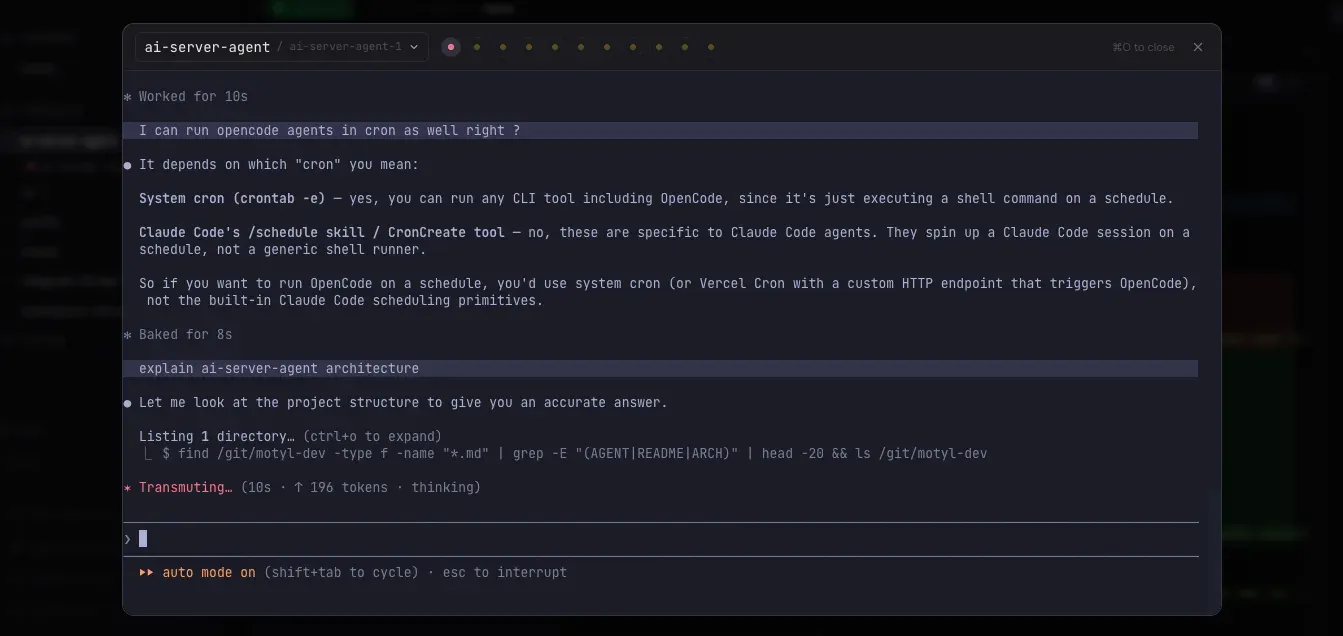
When I spot something in a file that needs a fix or an explanation from the agent, I can hit Cmd+O to open a modal pinned to the most recently used terminal, where Claude Code or OpenCode is running, and ask the question or send a follow-up prompt about that exact piece of code. That tight feedback loop makes corrections fast.
Remote access from anywhere
The last feature I want to mention is remote access to the panel, whether from a mobile device or another PC. It's set up over Tailscale VPN. The panel displays a QR code; scanning it on your phone opens the panel directly with a hash that acts as the auth key (which I can rotate easily). The browser stores the key, so from then on it's no longer part of the URL.
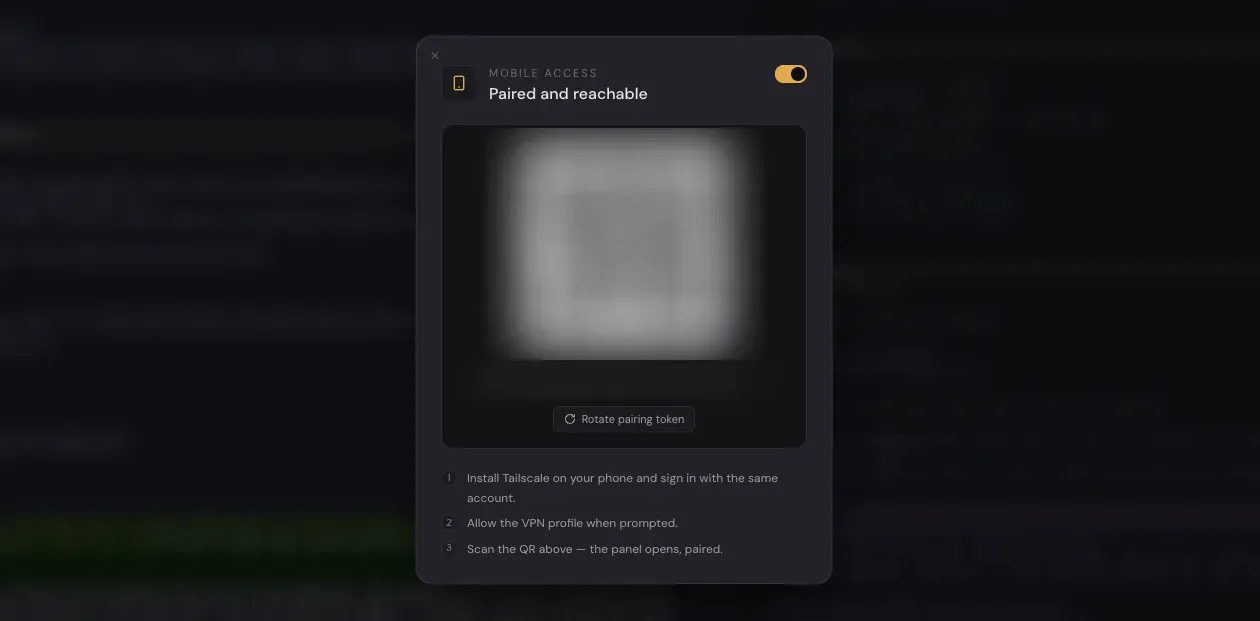 (QR code blurred for security ;) )
I also added a LAN access option that works similarly, but it isn't encrypted yet, I just haven't had a strong need for it, since I rarely use it on LAN. Still, it has come in handy when I want to work on two heavy tasks in parallel, say, an agent driving a browser plus a memory-hungry project, so I run the second one on the desktop or a beefy laptop next to me and access its panel over the local network. To keep me from confusing the two panels, a remote session shows a clear pill with the URL at the top of the screen. The project also works well on mobile, the interface is fully responsive, with a layout adapted to the device.
Open source, built for you to fork
These aren't all the things the system can do, the rest is in the documentation, which I try to keep up to date. This isn't a commercial tool. I have no plans to monetize it; I share it as open source for everyone. We live in an age where each of us can build our own tailored tools, and that's the beauty of this moment: we can have software cut to fit, instead of mass-produced products that never match a tailored suit.
If you want to try my workflow, clone the project, fork it, have fun.
Tame Multi-Agent Chaos
Get more battle-tested workflows for running parallel AI coding agents without losing your mind.